As a user of a remote-controlled smart meter, you may have encountered a situation where the overdue payment warning SMS sent by the power company is inconsistent with the remaining electricity balance displayed on your meter screen. This is usually caused by 4G/wireless data synchronization delays or billing cycle differences. This article will analyze the reasons for the discrepancy in detail, guide you on how to obtain the most accurate electricity bill information, and explain how long it takes for the meter to respond after recharging.
Why Does the SMS Balance Not Match the Meter Display?
Your remote-controlled smart energy meter transmits real-time data to the power company’s server via 4G/wireless network. SMS alerts are based on data recorded by the server, and the difference between the two is mainly caused by the following three reasons:
1. 4G Data Synchronization Delay
Data transmission of remote-controlled smart meters relies on wireless communication. If the network signal is affected by environmental interference, base station congestion, or untimely server data updates, a brief delay in data synchronization will occur:
Command Issuance Delay: The data points recorded by the power company’s server may lag behind the data currently displayed on the user’s meter.
Delayed Balance Display: If you have just topped up, but the purchase order is still being sent and the server has not yet received confirmation from the meter, the system balance will still show the old data.
2. Time Lag in SMS Alerts
Warning SMS messages sent by the power company (such as “Balance less than 50 yuan”) are usually sent in batches at fixed times each day or week.
Lag: The system determines that the balance is below the threshold and sends an SMS at a fixed time, but you may have already used a lot of appliances after receiving the SMS. SMS alerts are delayed and do not reflect your current real-time balance.
Early Warning: Even if you have just successfully topped up, you may still receive the old “insufficient balance” warning message if the system has not yet completed the next synchronization cycle.
3. Different Billing Standards and Data Sources
SMS alerts are for early warning purposes, and their data standards may be relatively simple. The data displayed on the meter is usually the most real-time and accurate:
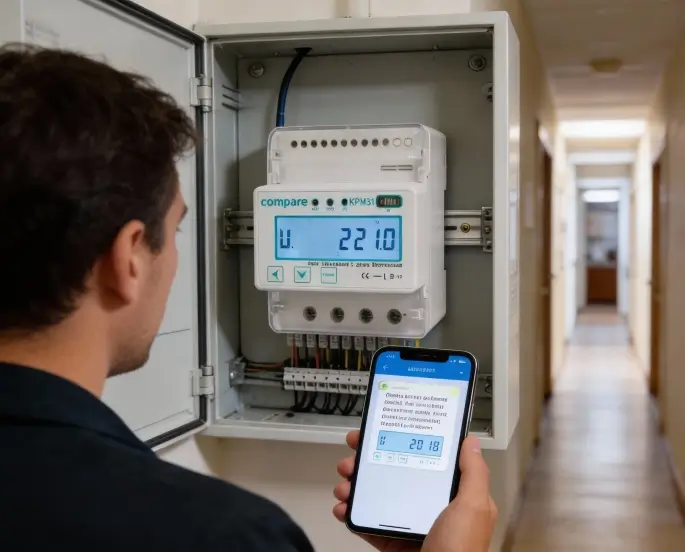
Meter Display: Displays the real-time remaining electricity cost or consumption after deducting all used electricity fees. This is the sole basis for determining whether you will be cut off from power.
SMS/APP Reminder: You may sometimes receive a “Account Balance” notification, which may include pre-deposited electricity amounts not yet credited to your meter, or simply aggregated data up to a previous point in time.
How long does it take for my meter to register my electricity purchase?
Recharge activation for remote prepaid electricity meters relies on 4G/wireless communication networks.
Recharge Activation Method: After purchasing electricity through online channels such as mobile APP, WeChat, or Alipay, the purchase instruction is sent to the power company’s server. The server then remotely sends the instruction to your meter via wireless network.
Appointment Time:
Normal Circumstances: Under stable signal and network conditions, the purchase instruction usually takes only 1-5 minutes to be sent.
Delay Circumstances: If there is interference with community communication or data transmission congestion during peak network periods, the instruction may take 10 minutes or even longer to be sent.
💡 Warm Reminder: If the recharge has not been credited after 15 minutes, please check the order status on the electricity purchase APP to confirm whether the purchase instruction has been successfully sent. If the instruction has been issued but the meter does not respond, please contact the power supply service hotline for manual intervention to reissue the electricity purchase instruction.
How to Obtain the Most Accurate Electricity Balance and Solutions
When the SMS notification differs from the meter data, please follow these steps:
1. Rely on the Meter Screen Data
Remember the golden rule: The real-time data displayed on the smart meter screen is always the most accurate and valuable reference.
Learn how to operate the query/display buttons on the meter. Use short presses to switch the screen display content and find the interface that shows “Remaining Amount” or “Remaining Electricity”.
2. Use the Official App to Verify Key Information
The official mobile app or WeChat official account is the authoritative tool for verifying data discrepancies. You can use the app to compensate for the limitations of the single information displayed on the meter screen:
Check the recharge instruction status: In the app’s electricity purchase records, confirm whether your most recent recharge order status is “Successfully Issued” or “Received”. If the order shows “Processing”, it means the instruction has not yet successfully reached the meter system.
Query Historical Communication Records: Some advanced apps offer a function to query the communication records between the meter and the server, allowing you to determine if there have been any abnormal interruptions in data transmission.
View Detailed Billing Details: Compared to the simple balance display on the meter, the app provides detailed daily/monthly billing records, allowing you to clearly understand whether each charge has been deducted and whether there have been rate changes due to tiered pricing.
3. What to do if there is a long-term significant discrepancy between the data and the meter display?
If the difference between SMS alerts and the meter display is consistently large (for example, the meter shows a sufficient balance, but you keep receiving SMS messages about overdue payments), this may indicate a communication system malfunction.
Please do the following:
Record Information: Record your user ID and the accurate balance currently displayed on the meter screen.
Contact Customer Service: Call your local power supply service hotline and explain the issue of “a significant discrepancy between the SMS balance and the actual meter balance” to customer service personnel. Request technical personnel to verify the backend data or provide manual intervention to check if the 4G communication module is functioning properly.
Troubleshooting: If the meter display shows garbled characters or you cannot query data by pressing the buttons, it may mean that the meter itself is faulty. Please contact the power supply department immediately to request on-site inspection or replacement of the meter.